Follow clear rules.
Move information, create tasks and trigger reminders when something happens. Useful for predictable, repeated steps.
Example: an approved enquiry creates a CRM record and a follow-up task.AI agents & business automation
Put your business tools to work together. I build AI assistants, agents and automations that help your team respond, organise and get things done.
Start with one time-consuming task. We’ll connect the right information, agree what the system can do, and keep it working with support that fits.
The right tool for the task
Move information, create tasks and trigger reminders when something happens. Useful for predictable, repeated steps.
Example: an approved enquiry creates a CRM record and a follow-up task.Find information, summarise documents and draft responses. Your team checks the result and decides what happens next.
Example: a support reply prepared from your approved guidance.Use approved information and connected tools to work through several steps, with clear permissions and review points.
Example: organise an enquiry, check context and prepare the next actions.24 practical starting points
Possible projects we can build around your business. The right approach depends on your process, available system access and the level of review needed.
Give each new opportunity a clear next step.
Turn an incoming message into a structured brief, flag missing details and route it to the right person.
Create or update records from approved forms, emails and meeting notes, with duplicate checks.
Bring agreed services, rates and customer requirements into a draft for you to check.
Find conversations waiting for a response and prepare timely follow-up messages for approval.
Help customers get useful answers and reach the right person.
Answer routine questions from your approved service information and pass enquiries to your team.
Group incoming requests by topic, highlight urgency and suggest the next action.
Prepare responses using the relevant customer context and your policies, ready for review.
Connect enquiry details, availability and confirmations around your booking rules.
Reduce the repeated copying, checking and chasing.
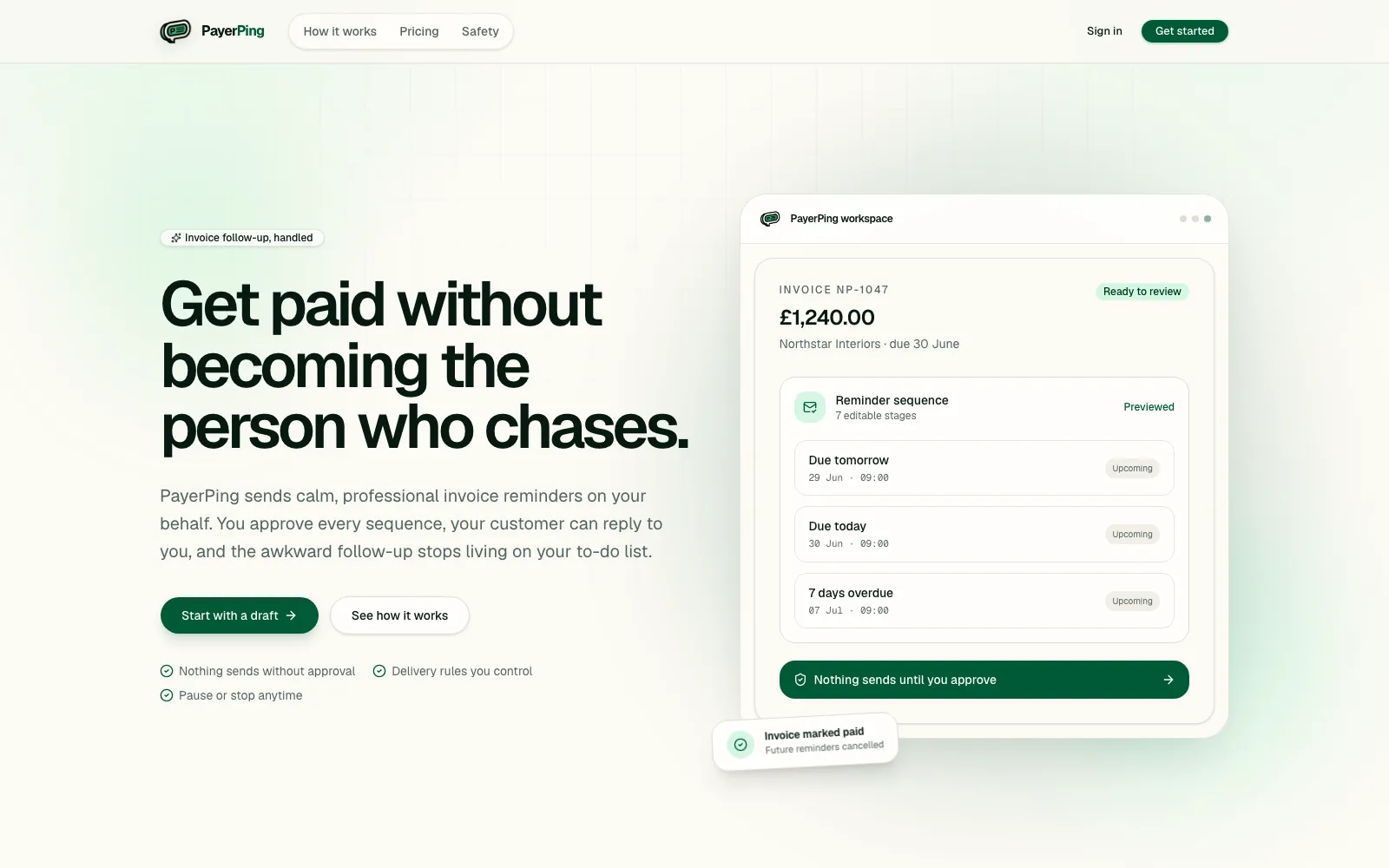
Track outstanding invoices and prepare reminders, with a check before anything is sent.
Turn an authorised transcript or supplied notes into a summary, owners and follow-up tasks.
Move validated website or spreadsheet entries into the tools your team actually uses.
Sort incoming business messages, extract useful details and flag items that need attention.
Make business information easier to find and use.
Extract agreed fields from uploaded documents and route uncertain entries for checking.
Help staff find answers in approved procedures and documents, with source references.
Highlight changes between versions and prepare a concise review summary.
Combine structured answers, approved wording and templates into a consistent draft.
Keep work moving between people and systems.
Create a checklist, request the right information and prepare a workspace after approval.
Turn an accepted brief into assigned tasks, milestones and a delivery handover.
Bring proposed changes into one review queue with a clear owner and decision history.
Monitor agreed thresholds or order statuses and flag the exceptions your team should investigate.
Turn scattered activity into a useful view of the business.
Bring together agreed sales, support or project metrics with a short explanation of changes.
Connect website events and enquiry outcomes so you can understand the customer journey.
Group reviews or survey responses into recurring issues and opportunities for a person to assess.
Flag unusual patterns, missed steps or failed connections so the right person can act.
Connect what you already use
We start with your existing setup and check the available connectors, APIs, subscriptions and permissions before choosing the approach.
Explore integration patternsBuilt, connected and looked after
Business tools change. Your processes evolve. Ongoing care keeps the workflow useful and gives you someone to call when it needs attention.
Clear scope. Clear running costs. Your proposal separates implementation, optional monthly care, and software or AI usage charges. The level of support and response expectations are agreed around your workflow.
Scope my workflow & supportRelevant project work
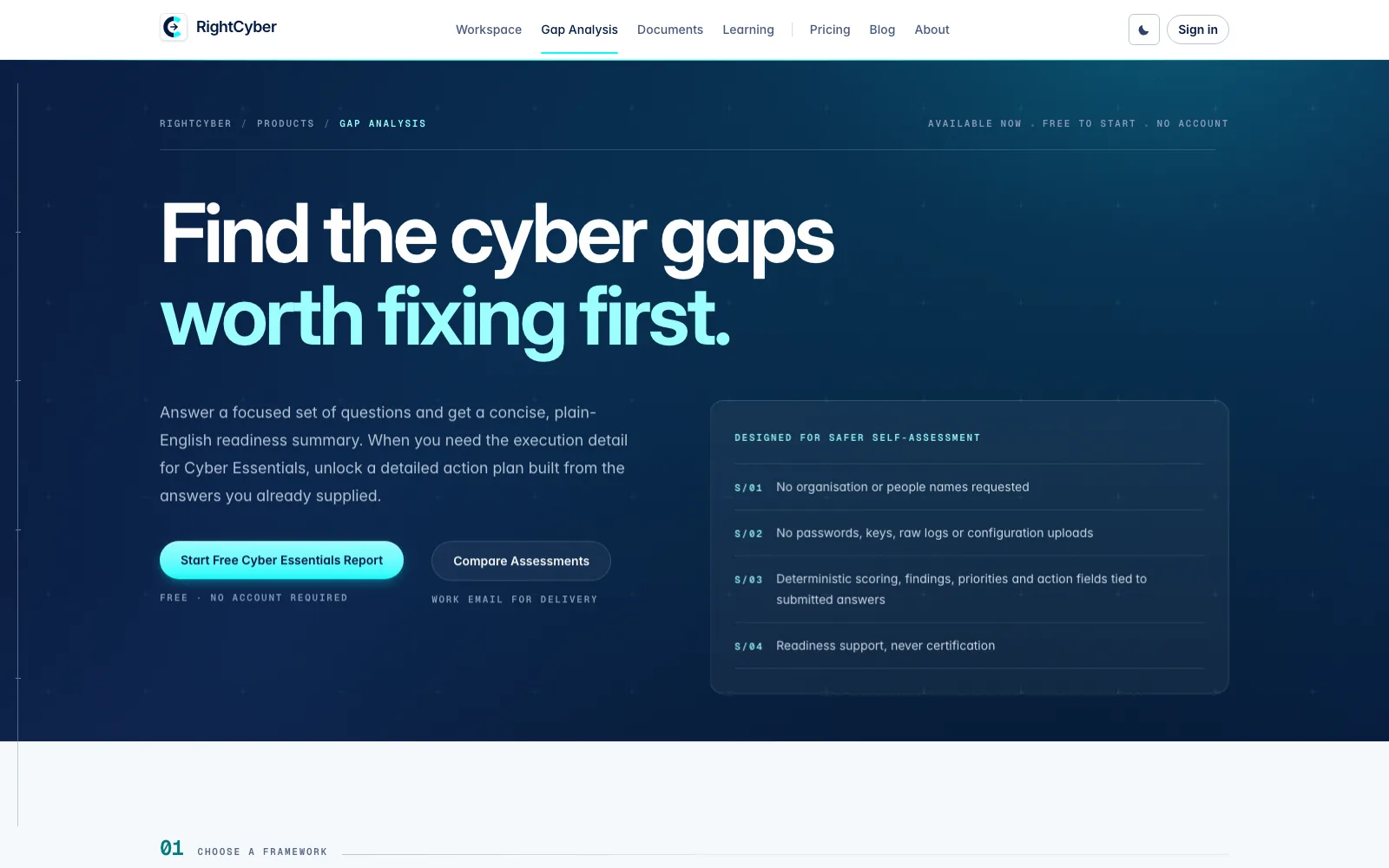
PayerPing’s invoice follow-up pilot and RightCyber’s assessment reporting illustrate structured workflows and reviewable outputs. Each case study explains its current status.
Before we begin
An AI agent works through a task using information and tools you allow it to access. It can interpret a request, retrieve context and prepare or take agreed actions. We define the boundaries, approval points and what happens when it is unsure.
Often we can connect the tools you already use. I first check the available APIs or connectors, your subscriptions, access permissions and the quality of the information involved.
No. Predictable tasks often work best with rules and direct integrations. AI can help with language, document interpretation and drafting. We choose the simplest approach that meets the task.
Yes, where the agreed permissions allow it. We can begin with drafts and a review queue, then enable selected actions once the workflow has been tested. Customer communications, financial actions and sensitive changes need explicit rules.
We scope a first workflow, the systems it touches and the level of support needed. Your proposal separates discovery and implementation, optional monthly care, and third-party subscriptions or AI usage. Bespoke automation is priced separately from the managed website plan.
An agreed plan can cover checking workflow health, investigating failures, maintaining connections, reviewing AI outputs and making a defined allowance of improvements. Support hours, response expectations and usage costs are written into the proposal.
Start with a baseline: how often the task happens, the time it takes and where errors or delays occur. Test the workflow against agreed examples, then compare real usage after launch before expanding it.
We agree what information is needed, who can access it, which providers process it and how it is retained. Access is limited to the workflow’s needs, and sensitive information is handled according to the agreed requirements.
Your next step
Tell me what happens, which tools you use and where the work gets stuck. That is enough to start a useful conversation.
Discuss AI & automationYour privacy
With your permission, optional Google analytics tools help measure page visits and enquiry actions and may use cookies. Your message and contact details are not included. You can change your choice at any time.