
Websites
What should a small business website include?
Plan a small business website with clear services, genuine examples, useful information and a simple enquiry route. Includes a practical checklist.

A small service-business website should help someone understand what you do, decide whether you are a suitable choice and take the next step. That usually means clear service information, genuine examples of your work, your coverage area and an easy way to make an enquiry.
Before choosing colours or adding features, work through the questions your prospective customer needs answered. A useful starting point is: what would someone need to know before they felt comfortable contacting you?
Make your services clear
Your homepage should explain the business in language a customer would use. “Garden maintenance in North Bedford” tells a visitor more than “Transforming outdoor possibilities”. A distinctive voice can still be clear.
Give each main service enough detail for someone to recognise their need. Explain what the work covers, who it is for and any important limits. A list of service names is a start, but it may leave practical questions unanswered.
For example, a prospective garden-maintenance customer might need to know whether you take on regular visits, one-off clearances or commercial grounds. Those are different decisions. Help people find the relevant answer without reading every page.
Explain where and how you work
If you visit customers, make your service area easy to find. Be specific about your usual coverage and explain whether work further away is considered individually. Use places you actually serve.
Other practical information depends on the business. It might include opening hours, whether an appointment is needed, what happens during an initial consultation or what information you need before preparing a quote.
Avoid promising a response time you cannot consistently meet. A straightforward explanation of the next step is more useful than an ambitious promise that leaves a customer waiting.
Show work that helps someone choose
Use genuine photographs, project examples or relevant testimonials to support what you say. Explain what a visitor is looking at: the service involved, the customer's requirement where you have permission to share it, and the work completed.
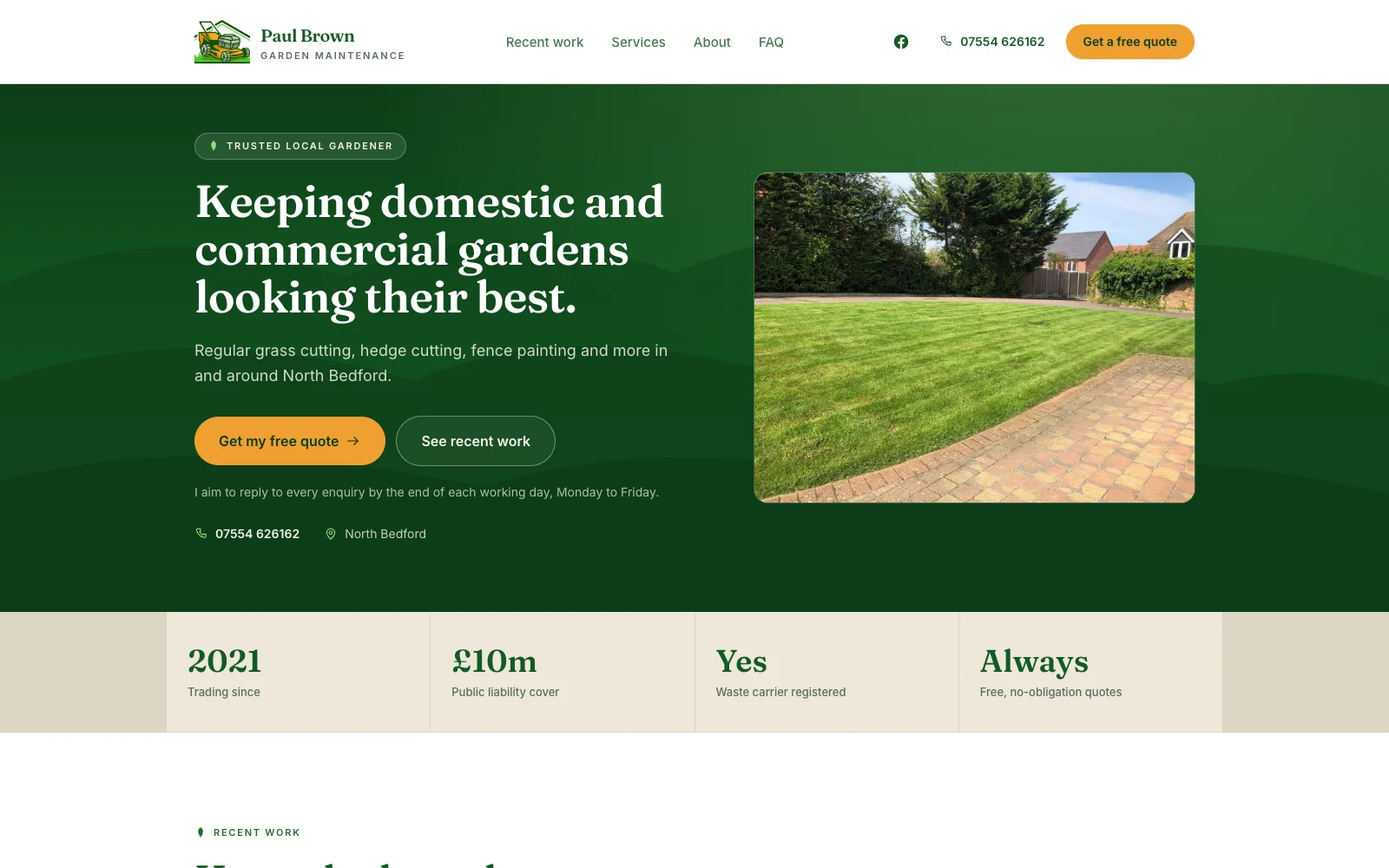
On the Paul Brown Garden Maintenance website, a live client project, visitors can explore a filterable work gallery and before-and-after comparisons alongside service information and local coverage. Phone, WhatsApp and email routes give them ways to enquire after looking at the work.
The useful detail is the connection between the work and the enquiry: someone can see the kind of garden care available, compare examples and choose how to get in touch.
A small selection of clearly explained examples can be more useful than a large gallery with no context. Make sure you have permission to publish images and quotations, and remove private details that are irrelevant to the example.
For this kind of project, a useful test is to ask someone who has never seen the business to open one gallery item and answer three questions: What work was done? Where would I find the relevant service? How would I ask for something similar? If the page cannot answer them, captions and links may help more than another photograph.
Give people a simple enquiry route
Choose a primary action that fits your business: request a quote, ask about availability or arrange an initial conversation. Use a clear label and make it easy to find after the relevant service information.
An enquiry form should collect what you need to take the next step. For a simple service enquiry, that might be a name, a way to reply, the service required and a short description. A location may help a visiting business check coverage. Ask for more only when it serves a clear purpose.
Explain what happens after submission. Check that the enquiry actually reaches the person responsible for replying. A form that looks finished but does not deliver messages leaves the customer with a false expectation.
Plan the pages around customer questions
A focused five-page structure could be:
- Home: what you do, who you help and where to go next.
- Services: what is included and how the work happens.
- Work: genuine examples that show relevant capability.
- About: who the customer will work with and useful background.
- Contact: how to enquire and what to expect afterwards.
This is a starting structure, not a requirement. A business with distinct services may need individual service pages. A product business may need compatibility information, purchase guidance and support. Let the information shape the structure.
Online shops, booking systems and customer accounts also introduce different requirements. If you need those, discuss them early so the design, costs and responsibilities match the work involved.
Check the mobile experience and search foundations
Open the website on a phone and follow a customer's likely journey. Can you read the service details comfortably? Are navigation and contact controls easy to use? Can you complete the enquiry without fighting the layout?
Each page also needs a descriptive title, a clear main heading and links that help visitors move between relevant information. Search engines need to be able to discover the public pages. These foundations support understanding and discovery; they do not guarantee a particular ranking. Google's SEO Starter Guide explains the distinction and the broader work involved.
Agree what happens after launch
Decide who manages hosting, updates, backups, enquiry checks and content changes. Clarify ownership of the domain and website files, the support available and how extra work is priced.
If you are comparing proposals, check the complete website scope and ongoing costs, including exclusions. A low initial price does not tell you what happens when you need a new page or a broken enquiry route fixed.
Your planning checklist
Before briefing a designer, gather:
- Your main services, customers and genuine coverage area.
- The practical questions customers ask before contacting you.
- Photographs and examples you have permission to use.
- A primary enquiry action and the person who will respond.
- A list of essential features and useful additions for later.
- Agreement on ongoing care, ownership and support.
With that information, you can have a more useful conversation about the website your business needs. Explore managed websites for the current offer, or tell me about your project to discuss a suitable starting point.
Put the thinking into practice
Make the next step clearer.
Explore how I can help with your business website, or tell me what you have in mind.
Explore websites